
These 10 Windows 11 keyboard shortcuts will boost your productivity
Keyboard shortcuts are efficiency’s greatest secret weapon. Yes, they can take a bit to learn and yes, sometimes you’ve got to—gasp!—take your hand off your mouse to reach all the keys.
But man, oh man, once you’ve mastered the best ones, you’ll wonder how you ever lived without them.
If you want to navigate Windows 11 faster, work smarter, and minimize unnecessary clicks, these are the 10 shortcuts worth memorizing.
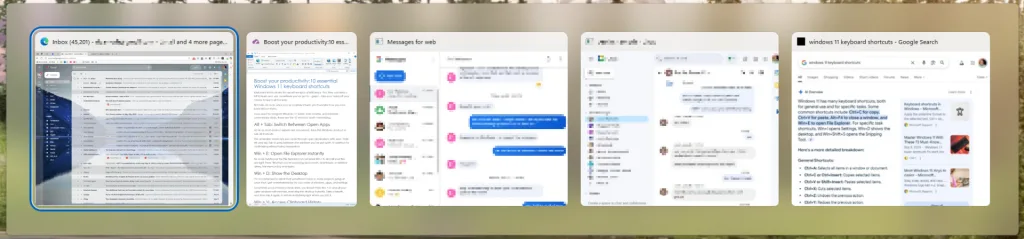
Alt + Tab: Switch Between Open Apps
As far as most shortcut experts are concerned, this is the Windows shortcut to rule all shortcuts.
This venerable classic lets you cycle through open applications with ease. Hold Alt and tap Tab to jump between the windows you’ve got open. It’s perfect for multitasking without losing momentum.
Win + E: Open File Explorer Instantly
No more hunting for the File Explorer icon: just press Win + E, and all your files are right there. Whether you’re accessing documents, downloads, or external drives, this shortcut is a must-learn.
Win + D: Show the Desktop
I’m not ashamed to admit that sometimes I have so many projects going at once that I get overwhelmed by my own mess of windows, apps, and settings.
Sometimes you just need a clean slate, you know? Press Win + D, and all your open windows will minimize, revealing the desktop instantly. Take a breath, and then tap it again to restore everything right where you left it.
Win + V: Access Clipboard History
Something of a dark horse in the handy shortcuts competition: Ever copied something only to lose it moments later?
Win + V saves the day by opening the Clipboard history, allowing you to retrieve text or images you’ve copied earlier.
Alt + Spacebar: Open Copilot
Now for a relative newcomer. For quick assistance, answers, and creative ideas, Alt + Spacebar launches a little Copilot search box, making it easy to get help directly within Windows.
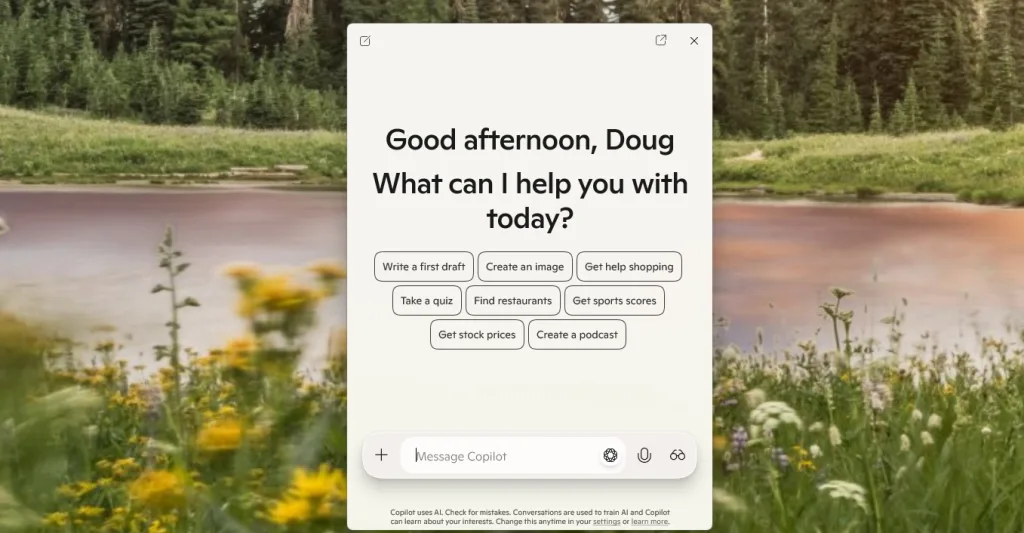
Use it to look stuff up on the web, launch programs, or open folders, all with a quick keyboard combo.
Win + I: Open Settings
Tired of digging through menus just to get to Settings? Why did they bury it so deep?!
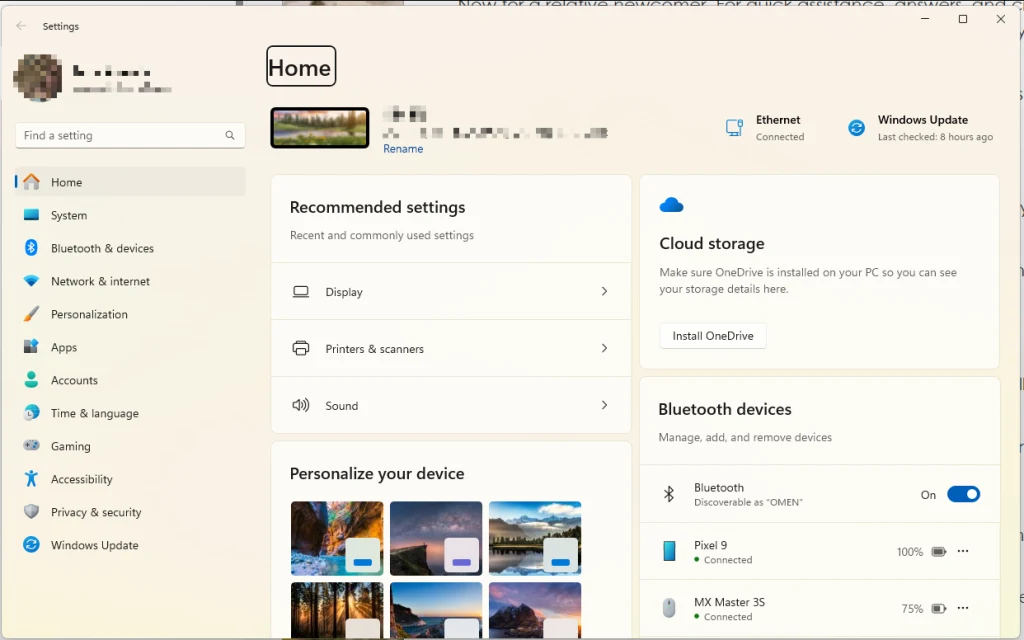
Press Win + I to open Settings instantly, letting you tweak stuff much more quickly than navigating there by mouse.
Win + Shift + S: Take a Screenshot
When you need to capture something on your screen, the excellent Snipping Tool is your best friend.
Win + Shift + S opens it, letting you select and save any part of your display.
Ctrl + Shift + Esc: Open Task Manager
Slow? Laggy? Chugging along? Keep tabs on your system performance by pressing Ctrl + Shift + Esc.
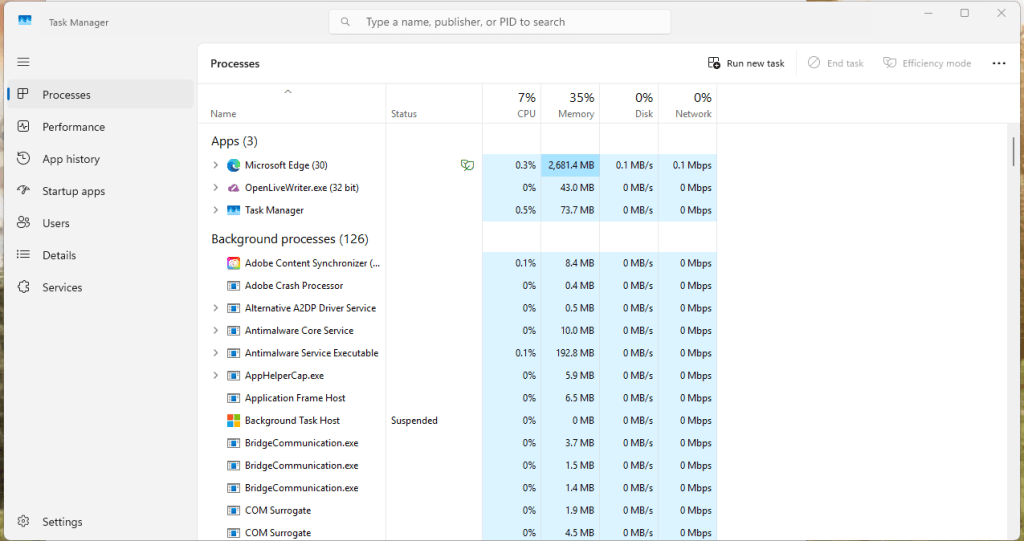
This shortcut opens Task Manager immediately, letting you manage RAM-hogging apps and CPU-taxing processes with ease.
Win + L: Lock Your Computer
This one’s especially handy for those of you who’ve been summoned back to the office.
When you step away from your desk, pressing Win + L locks your screen instantly, securing your work and keeping prying eyes out.
Win + Period (.) or Win + Semicolon (;): Open Emoji Panel
Here’s one for the youths out there. Spice up your messages with emojis and GIFs.
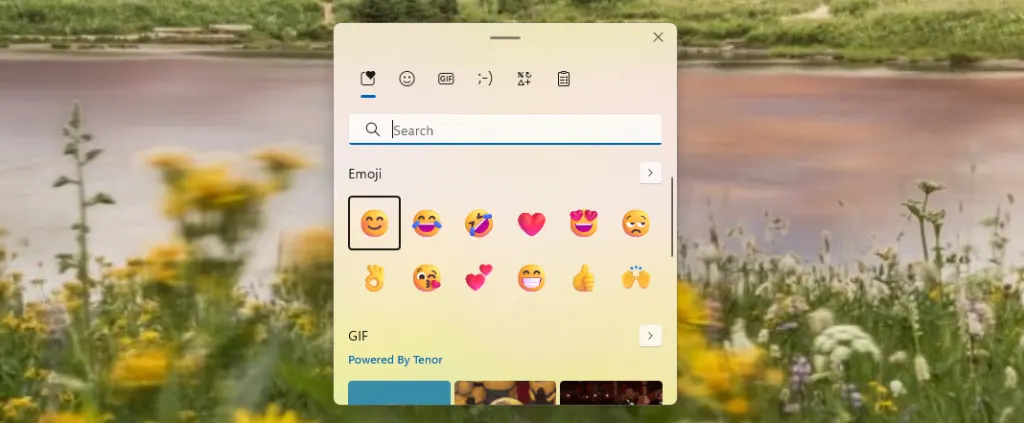
Press Win + . or Win + ; to open the emoji panel and add some flair to your messages.
Originally published by fastcompany.com. Syndicated material does not necessarily reflect the views of Grazia British.
More Culture

Don’t Pull Out of Germany
Merz’s stupidity is no excuse for a stupid response. Source link

Step inside the gorgeous, futuristic offices of Vast, the startup designing the next-gen space station
A tall baobab tree greets people inside the Long Beach, California, headquarters of Vast, an aerospace company that is building the space station of the future. It’s planted beneath a…

5 ways high-performing teams stay calm when everything’s on fire
When markets swing, plans break, inboxes explode, and everyone starts saying the situation is “unprecedented” again, most teams do what humans have always done under pressure: they grip…

Confused Trump Openly Admits Plot to Rig Midterms as Polls Turn Brutal
Last week, the Supreme Court gutted protections against racial gerrymandering, and Donald Trump is already urging Republicans to seize on it. Trump unleashed a Truth Social rant on Monday…